One small next step
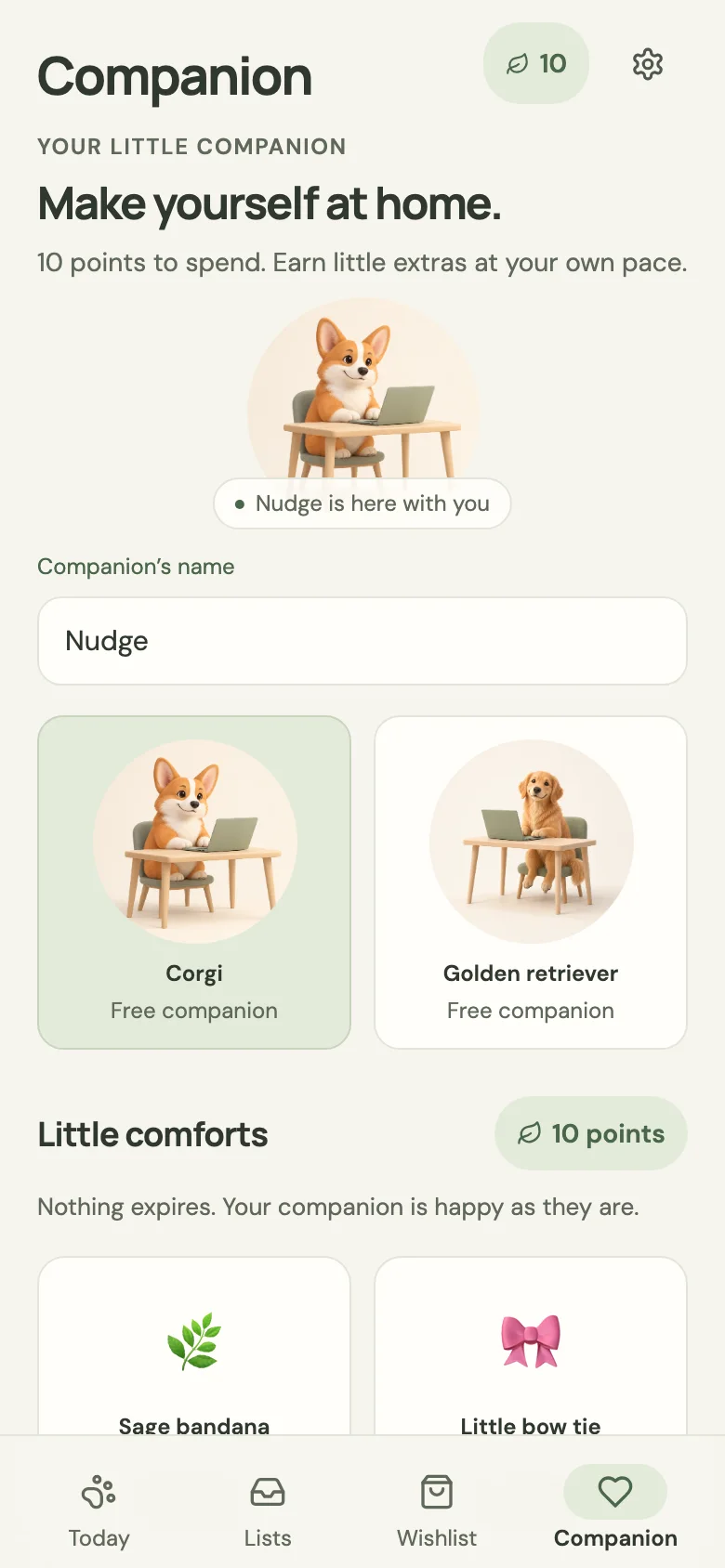
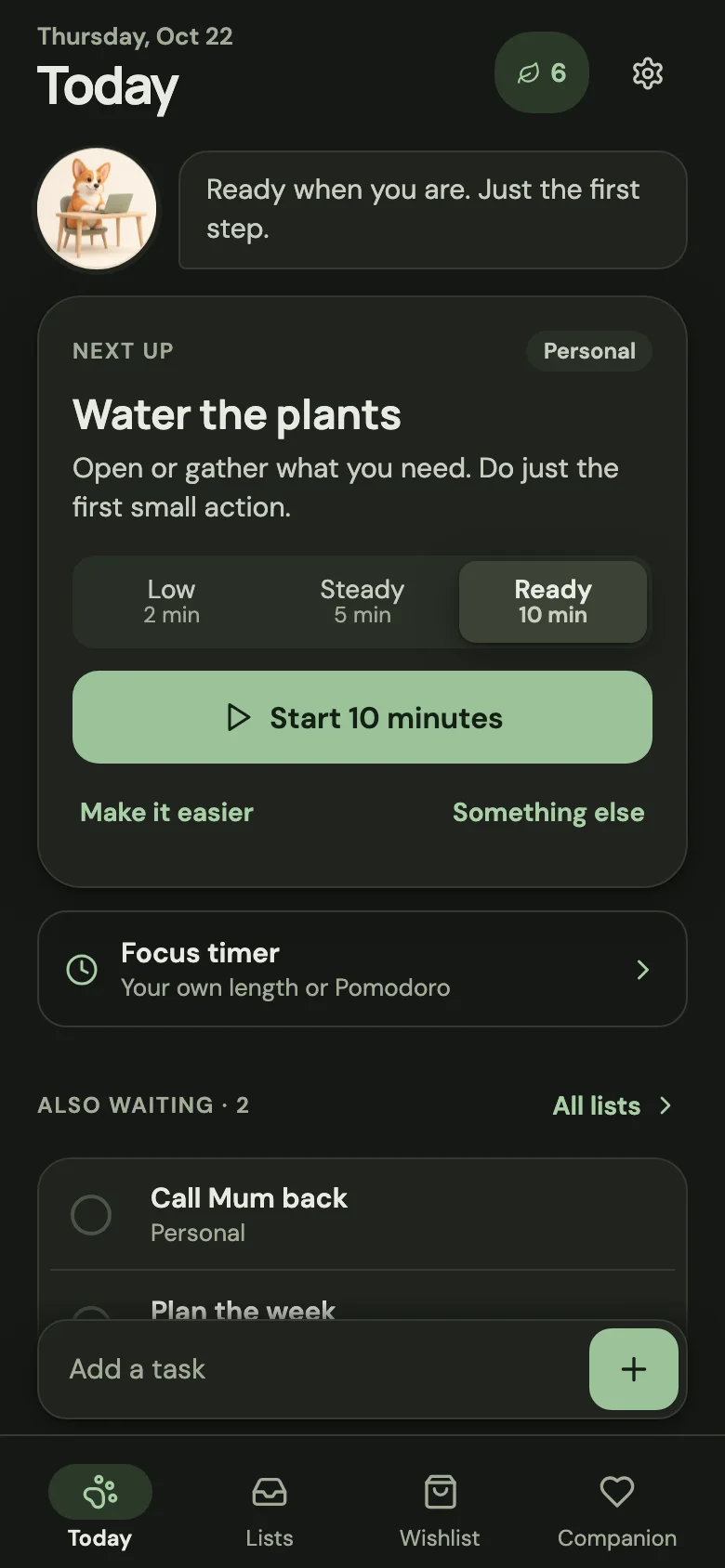
Nudgelet shows one task and a tiny first action. Tell it how much energy you have, and it suggests a 2-, 5- or 10-minute start. "Make it easier" shrinks the step even more.
LowSteadyReady
Nudgelet is a quiet companion for brains that stall at the start. Save a thought in one step, get one small next step, and work in short focus sessions with a little dog who keeps you company. There are no streaks to protect and no guilt for stopping.
Starting is the hard part. Nudgelet makes the first step smaller, then it stays out of your way.
Nudgelet shows one task and a tiny first action. Tell it how much energy you have, and it suggests a 2-, 5- or 10-minute start. "Make it easier" shrinks the step even more.
When a task is due, your dog trots over with a little card. On your phone the reminder is a silent notification. Snooze for two hours, until tomorrow, or to any time you choose.
Count down, count up or Pomodoro. When the time is up, the timer keeps going quietly and the pet celebrates. You can pause and stop whenever you need to.
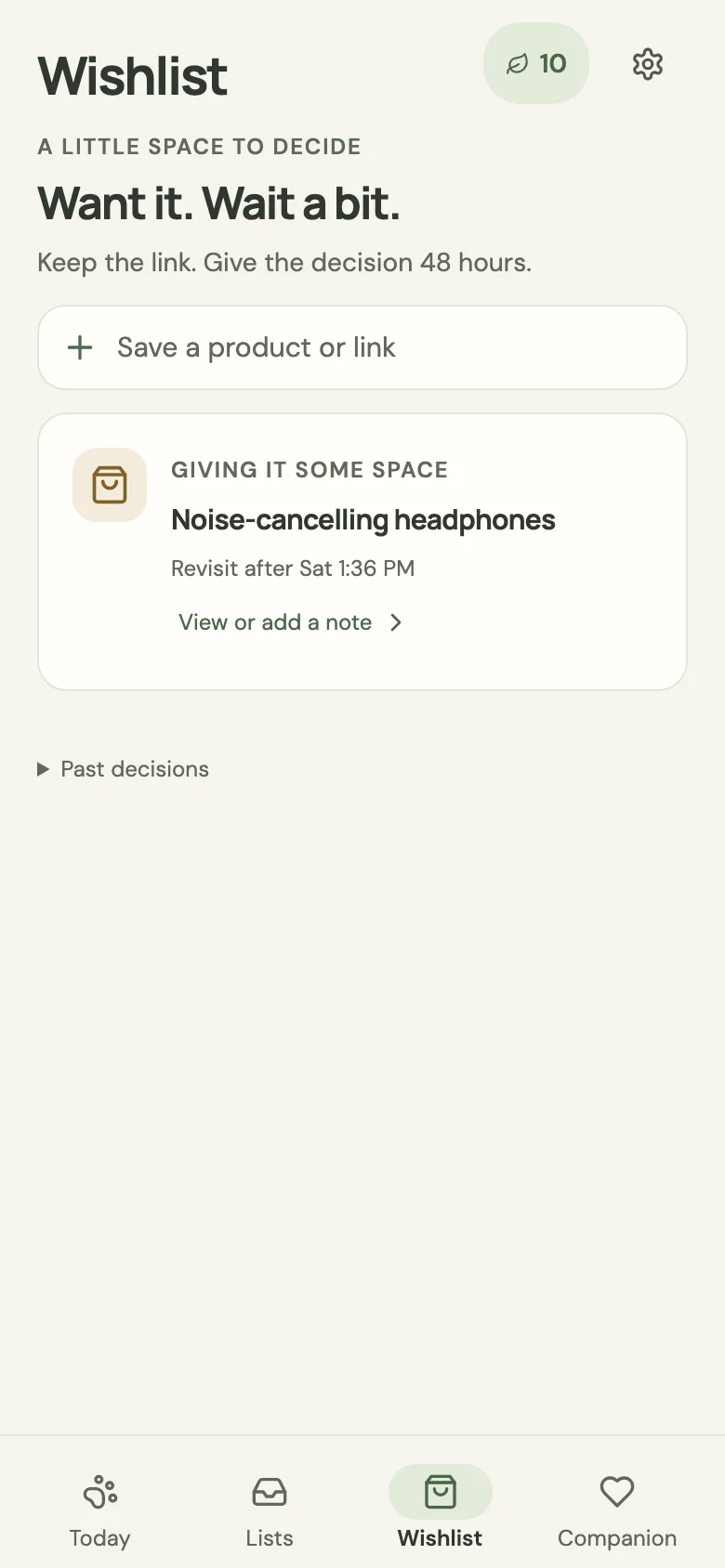
Share a product to Nudgelet when the urge to buy hits. It gives the decision 48 hours, and it never sends a "still want it?" notification.
Type a thought and it's saved. Add a due time, checklist, photo, drawing or voice note only if you want to. On Android, use the home-screen widget or the share sheet.
Earn points for starting and for making progress, then spend them on a bandana or a cozier desk. Nothing expires, and your pet is never sad that you took a break.
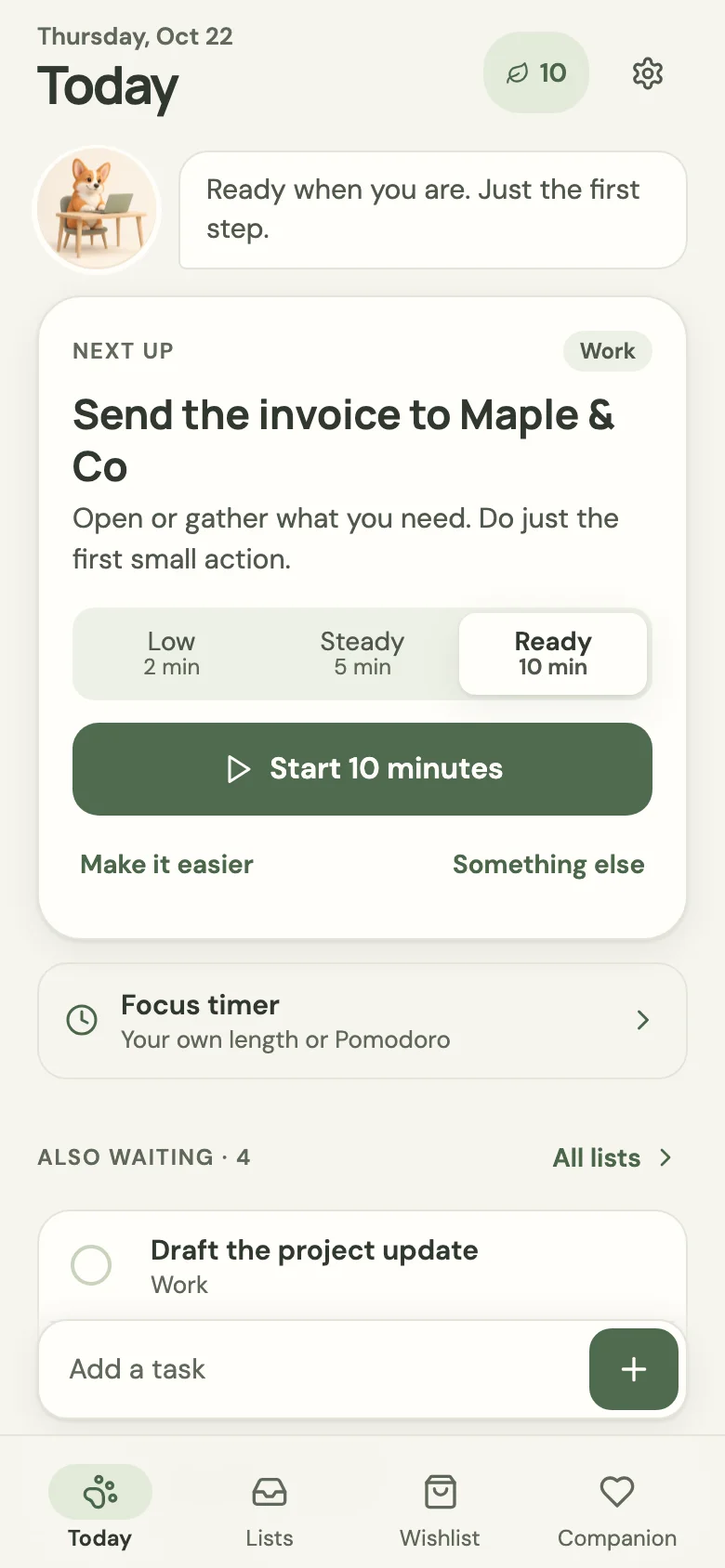
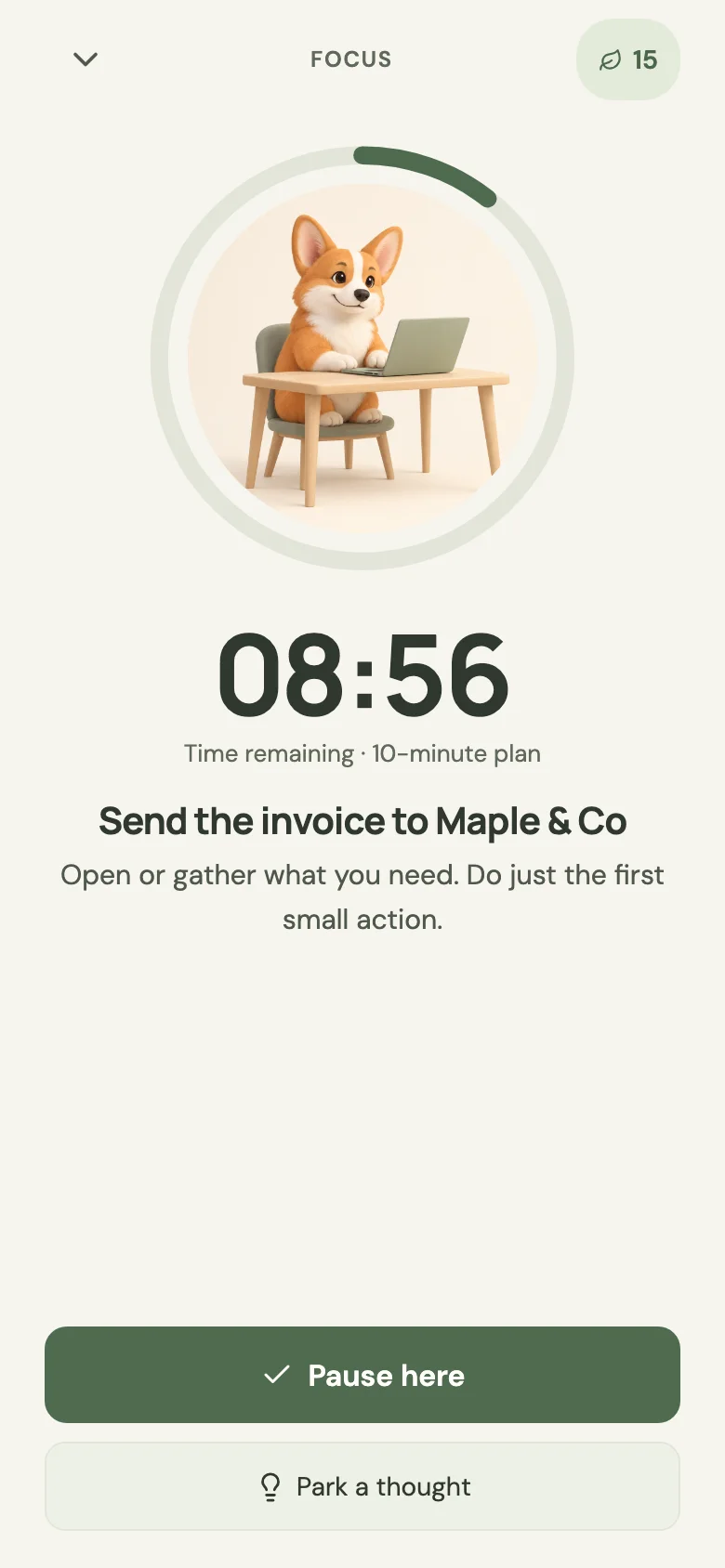
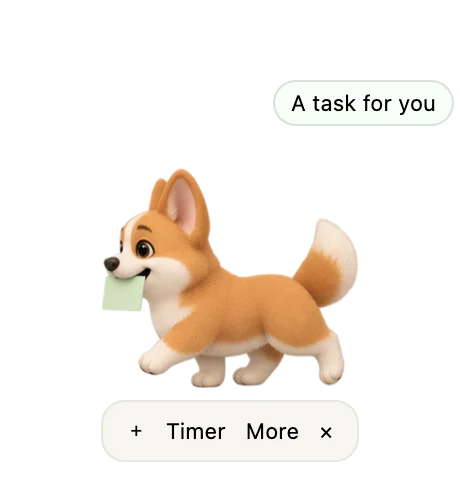
Your pet sits at the edge of your screen while you work. When a task is due, it brings you the card. It never sends a pop-up, a sound or a badge.
Hover the pet for a quick + new task, a Timer, or More. Double-click it to open the full app.
A small card next to the pet lets you start, snooze or finish the task without opening the app.
Reminders wait while you're focusing. If you were away, you get one card when you're back, and the rest wait quietly in Today.
It respects "Reduce motion." The pet stays still and glows softly instead of hopping.
Many productivity apps run on pressure. Nudgelet won't count what you missed, it won't hurry you, and it won't let reminders pile up into a wall.
It's free, with no account and no in-app purchases. Install it on one device, or on both and pair them.
Android 7 or later · about 11 MB
Macs with Apple silicon (M1 or later)
On your phone, tap Download for Android above and open the file when it finishes.
Android asks whether your browser or Files app may install unknown apps. Allow it, then tap Install. You can switch that setting off again afterwards.
Open Nudgelet and choose a corgi or a golden retriever, plus the time of day you usually get things done. You can also tap Skip setup and change these later.
Type it into Add a task and you're done. To get reminded, add a due time. When you save your first task with a due time, Android asks about notifications. Tap Allow.
Go to Settings → Gentle reminders and tap Allow on-time reminders, then switch Nudgelet on. Without this, Android may deliver reminders a few minutes late.
Long-press your home screen, choose Widgets, and drag Nudgelet onto it. Its + opens quick add from anywhere.
In your browser or a shopping app, tap Share and choose Nudgelet. A link goes to your wishlist and plain text becomes a task.
Click Download for Mac and open the .dmg file. Drag Nudgelet into your Applications folder.
Open Nudgelet from Applications. If macOS says it can't check the app, right-click (or Control-click) Nudgelet, choose Open, then Open again. You only need to do this once.
Choose your dog and your usual productive time, or Skip setup. Your pet settles at the edge of your screen. Drag it wherever you like.
Nudgelet lives in the menu bar. Closing the window keeps it running so the pet can bring reminders. To stop it completely, choose Quit Nudgelet from the menu-bar icon.
Hover the pet and click +, type the task and pick a time. When it's due, the pet brings you the card. This works even if you never turn on notifications.
In Settings you can turn on routine reminders, choose whether reminders appear or wait during Focus / Do Not Disturb, switch to dark mode, or turn off companion animations.
Set up the Mac and the phone using the other two tabs. Each one works fully on its own; pairing is optional.
Put both devices on your own home Wi-Fi. Keep your Mac awake with Nudgelet running, because sync goes through your Mac.
On the Mac, go to Settings → Advanced → Enable pairing / new code. If macOS asks whether Nudgelet may accept incoming connections, click Allow. You'll see an address and a 6-digit code, which works once for 10 minutes.
On the phone, go to Settings → Advanced, type the address and the code, then tap Connect to my Mac. Your tasks, wishlist, sessions and points merge, and changes made offline sync when you're back.
Go to Settings → Your data → Export a backup to save a file you can restore anywhere. Do this before you uninstall or switch phones.
On a Mac, quit Nudgelet and replace the app; your data stays. On Android, install the new file over the old one. Coming from a personal test build? Export a backup, uninstall it, install this one, then restore.
Open an issue and tell us your device and what happened. Please never attach your backup file, because it contains your personal data.
There are no accounts, analytics, ads or AI services. Everything you put into Nudgelet is saved on your own devices.
Yes. The beta is free, with no ads, subscriptions or in-app purchases. Points are earned by using the app and only unlock cosmetic extras for your pet.
It's designed for anyone who finds starting hard, including many people with ADHD: one small step at a time, reminders that don't pile up, and no streaks or guilt. It isn't a medical tool and doesn't replace care or support.
The beta is installed directly from this page rather than from the Play Store, so Android asks you to allow installs from your browser or Files app. Allow it for this one install, and switch it off again afterwards if you like.
No. Each works fully on its own. Pair them under Settings → Advanced if you'd like your tasks on both.
No. Reminders are silent. On the Mac your pet brings a card; on Android you get a quiet notification. You can pause all reminders any time.
Not yet. This beta covers Android phones and Macs with Apple silicon.
On Android, uninstall Nudgelet or clear its storage. On a Mac, quit Nudgelet from the menu bar and delete ~/Library/Application Support/Nudgelet. If you exported backups, delete those too.